Batch Printer Logo
blog.category.tips

How to Password Protect PDF Online Free — Complete Security Guide

Batch Printer Team6 хв. читання
How to Password Protect PDF Online Free — Complete Security Guide

How to Password Protect PDF Online Free — Complete Security Guide

In February 2026, a Wall Street law firm called Fried Frank disclosed a data breach that exposed the personal information of over 46,000 people — including private equity investors at JPMorgan and Goldman Sachs. Social security numbers, passport scans, and financial records had been sitting on a shared network drive without encryption. A single compromised user account was all it took to access everything.

Скористайтеся цими інструментами зараз

Натисніть кнопку, щоб одразу відкрити потрібний інструмент.

This is not an isolated case. IBM reports the average cost of a data breach reached 4.88 million dollars in 2024, with the US average exceeding 10 million dollars. In healthcare alone, 275 million patient records were exposed in a single year. The simplest defense against document-level breaches — password protecting your PDFs — takes less than 30 seconds, yet most people never do it.

Why PDF Password Protection Matters More Than Ever

PDFs are the default format for contracts, invoices, medical records, legal filings, tax returns, and financial statements. They are shared via email, cloud storage, and messaging apps — often without any protection. Once an unencrypted PDF leaves your device, anyone who intercepts it can read, copy, and redistribute the contents freely.

  • Healthcare (HIPAA) — The 2025 HIPAA Security Rule update made encryption mandatory for all electronic protected health information. AES-256 is now the required standard, and breach notification deadlines were shortened from 60 to 30 days.
  • Finance (SOX, GLBA, PCI DSS) — Financial institutions must encrypt cardholder data, client records, and audit documents. New York's DFS Regulation 500 requires AES-256 or equivalent encryption for all nonpublic information.
  • Legal — 65 percent of UK law firms experienced cyber incidents in 2024. Client privilege documents, court filings, and settlement agreements contain some of the most sensitive information in any industry.
  • Government — Classified and controlled unclassified information (CUI) must be encrypted per NIST standards. The 2025 Epstein documents redaction failure demonstrated what happens when PDF security is handled improperly.
  • Education (FERPA) — Student records, transcripts, and financial aid documents require protection under the Family Educational Rights and Privacy Act.

How to Password Protect a PDF in 3 Steps

You do not need Adobe Acrobat or any desktop software. Batch Printer lets you encrypt your PDF with a password and control permissions — free, online, and without creating an account.

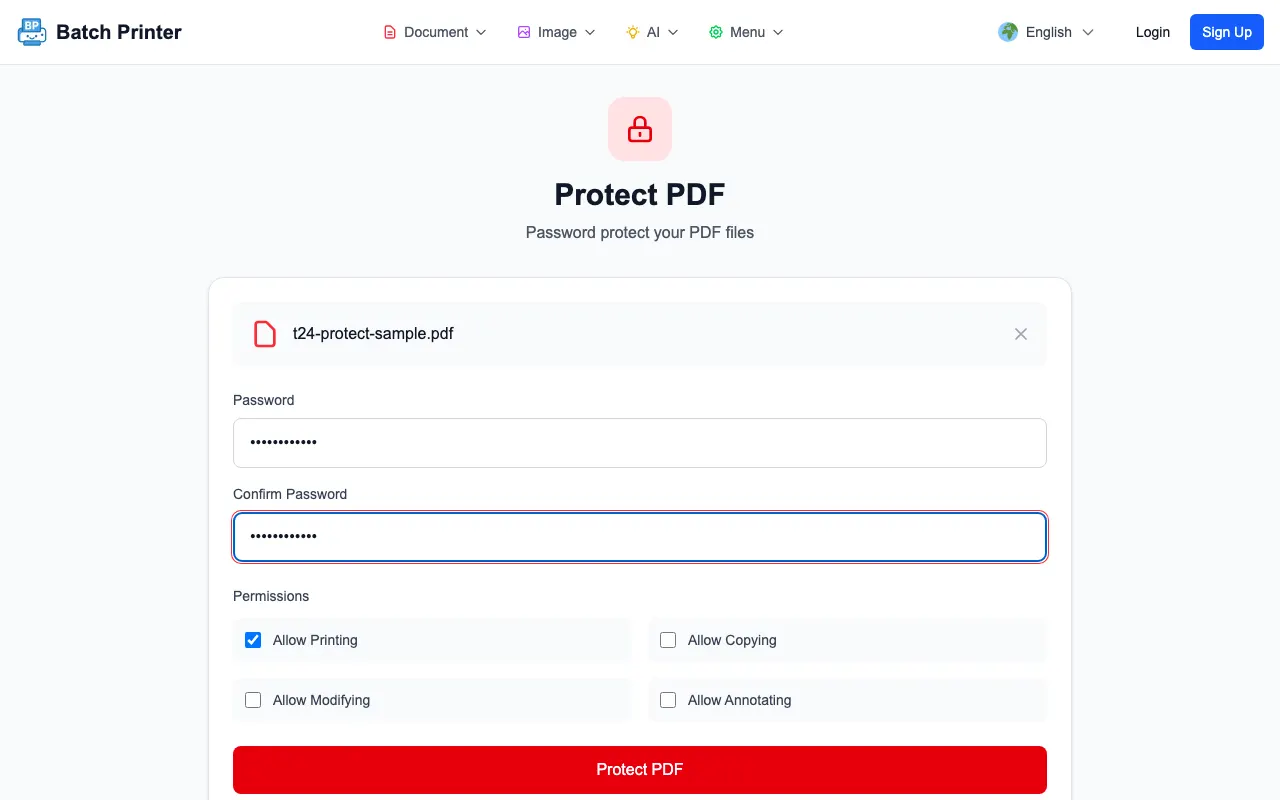
  • Step 1: Upload your PDF — Drag and drop your file into the protect tool. The tool accepts files up to 50MB.
  • Step 2: Set your password and permissions — Enter a password (minimum 4 characters). Then choose which actions to allow or block: printing, copying text and images, modifying the document, and adding annotations. Each permission is a simple checkbox.
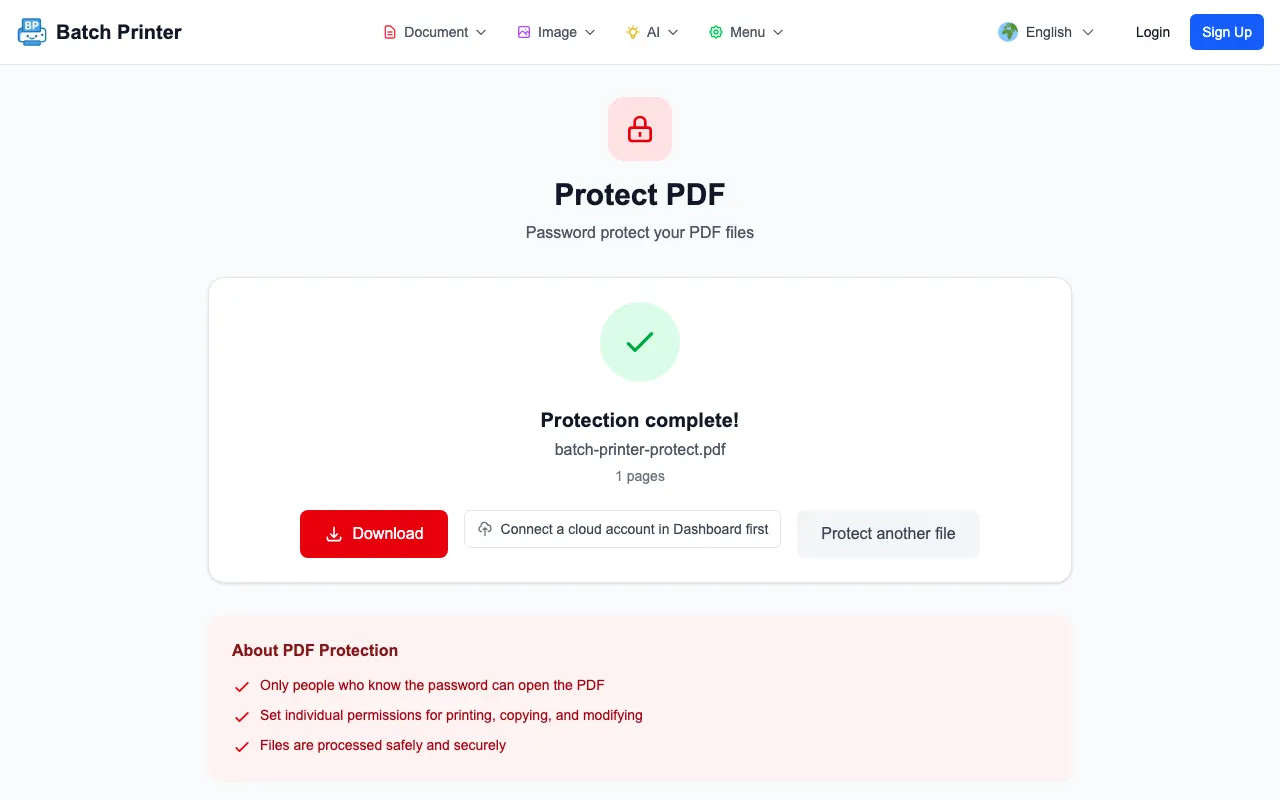
  • Step 3: Encrypt and download — Click the Protect button. The server applies AES encryption to your PDF and returns the password-protected file. Anyone who tries to open it will need the password you set.

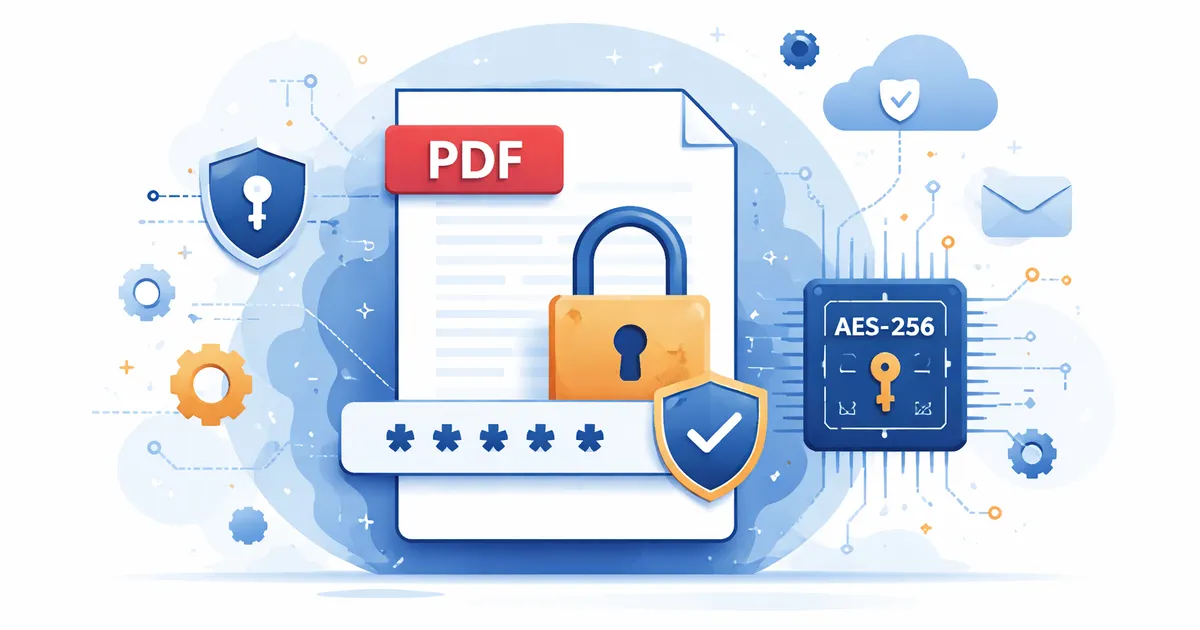
The encryption is performed server-side using AES, the same standard recommended by NIST and required by HIPAA, GDPR, and PCI DSS. This is not a superficial lock — it is real cryptographic protection that modifies the PDF at the data level.

Protect your PDF now — free at batch-printer.com/tools/pdf/protect. Set a password, control permissions, and download your encrypted file in seconds.

User Password vs Owner Password: What is the Difference?

PDF security uses two types of passwords, and understanding the difference is important for choosing the right protection level.

  • User password (document open password) — Required to open and view the PDF. Without this password, the file cannot be read at all. This is the strongest form of protection because the entire document is encrypted.
  • Owner password (permissions password) — Controls what actions are allowed after the document is opened. You can block printing, copying, editing, or annotating. The document can still be viewed, but restricted actions are disabled.
  • When you set both passwords, viewers need the user password to open the file and are then limited by the permissions you configured. The owner password lets you or authorized users bypass those restrictions.
  • Batch Printer requires a user password and optionally sets an owner password. This means your PDF is always encrypted — not just permission-restricted.

How Secure Is PDF Encryption? The Numbers Speak

AES (Advanced Encryption Standard) is the encryption algorithm used by governments, banks, and military organizations worldwide. It was selected by NIST after a five-year evaluation process and remains unbroken after over two decades of scrutiny by the global cryptography community.

  • AES-128 has 340 undecillion possible keys (3.4 times 10 to the 38th power). A brute-force attack would take over 25 sextillion years with current computing power — billions of times longer than the age of the universe.
  • AES-256 has 115 quattuorvigintillion possible keys (1.15 times 10 to the 77th power). Even a theoretical quantum computer using Grover's algorithm would need 2.29 times 10 to the 32nd power years to crack it.
  • NIST recommends AES-256 for long-term data protection. The 2025 HIPAA update made AES-256 the mandatory standard for all healthcare data.
  • No successful attack against AES has ever recovered a full key. The best known attacks reduce the key space by a negligible amount that has no practical impact.
"AES-256 encryption would take longer to brute-force than the remaining lifespan of the sun. Your PDF password is not the weak link — the strength of the password you choose is."
The encryption strength depends on your password. Use at least 8 characters with a mix of letters, numbers, and symbols. A 12-character password with mixed characters is virtually uncrackable.

How to Unlock a PDF When You Have the Password

Sometimes you need to remove the password from a PDF you own — for example, to share a document internally without requiring every team member to enter a password, or to combine protected files with unprotected ones.

  • Step 1: Open the unlock tool at batch-printer.com/tools/pdf/unlock.
  • Step 2: Upload your password-protected PDF and enter the password.
  • Step 3: Click Unlock. The tool removes the encryption and you can download the unprotected version.

The unlock tool runs entirely in your browser. Your file is never uploaded to any server, which means the process is fast, private, and works even offline. This is ideal for handling sensitive documents where you do not want the file to leave your device.

Real-World PDF Security Failures That Encryption Would Have Prevented

In December 2025, the US Department of Justice released Epstein case documents with redacted sections. Researchers quickly discovered that the redaction was purely visual — black rectangles were drawn over text, but the actual data remained in the PDF. Anyone could copy the text into a word processor and read the supposedly hidden names, victim identities, and investigation details. Proper PDF security — either real redaction or encryption — would have prevented this entirely.

In the healthcare sector, the UnitedHealth Change Healthcare breach of 2024-2025 ultimately affected 190 million Americans — roughly 57 percent of the US population. The HIPAA Journal reported that 725 healthcare breaches occurred in 2024 alone, exposing 275 million patient records, a 63.5 percent increase from the prior year. Unencrypted documents stored on shared drives and transmitted via email were a recurring factor in these incidents.

  • Visual redaction is not security — covering text with a black box does not remove the underlying data from the PDF file structure
  • Shared drives without encryption are open doors — a single compromised account can access all unprotected documents
  • Email attachments travel through multiple servers — an unencrypted PDF sent via email can be intercepted at any point
  • Compliance is not optional — HIPAA violations alone cost healthcare organizations an average of 4.67 million dollars per breach
  • Password protection takes 30 seconds — the cost of not doing it can be measured in millions of dollars and destroyed reputations

5 PDF Security Best Practices

  • Use strong passwords — At least 8 characters with uppercase, lowercase, numbers, and symbols. Never use dictionary words or birthdates. A 12-character mixed password would take centuries to crack.
  • Always set both user and owner passwords — The user password encrypts the file so it cannot be opened without authorization. The owner password adds permission controls on top of encryption.
  • Control permissions explicitly — Decide whether recipients should be able to print, copy, modify, or annotate. For confidential contracts, disable everything except viewing.
  • Use proper redaction before sharing — If you need to remove sensitive information, use a redaction tool that actually deletes the data from the PDF structure. Drawing a black box over text is not redaction.
  • Keep unencrypted backups in a secure location — Store the original unprotected version in an encrypted drive or vault. If you lose the password, encryption cannot be reversed.
Never assume a PDF is secure because sensitive text is covered with a black rectangle. That is visual concealment, not data removal. Use a dedicated redaction tool or encrypt the entire document with a password.

Frequently Asked Questions

Can I password protect a PDF without Adobe Acrobat? Yes. Batch Printer provides free online PDF password protection with AES encryption. No software download or Adobe subscription required. Just upload, set your password and permissions, and download the protected file.

Is PDF password protection actually secure? Yes, when done properly. PDF encryption uses AES, the same algorithm that protects classified government data and banking transactions. The security depends on your password strength — a strong password makes the encryption effectively unbreakable with current or foreseeable technology.

What is the difference between protecting and locking a PDF? They are the same thing. Password protecting a PDF encrypts it so it can only be opened with the correct password. Some tools call this locking. Both refer to applying cryptographic encryption to the document.

Can I remove the password from a PDF I own? Yes. Use the unlock tool at batch-printer.com/tools/pdf/unlock. Enter the password you set, and the tool will remove the encryption. This is useful when you want to share a document without requiring a password. You need to know the original password — this is not a password cracker.

Does password protection reduce PDF quality? No. Encryption modifies the data structure of the PDF but does not change the visual content. Text, images, fonts, and layout remain exactly the same. The file size may increase slightly due to the encryption overhead, but the difference is negligible.

Protect Your PDFs Today — It Takes 30 Seconds

Every unprotected PDF you send is a potential breach waiting to happen. Whether you are a lawyer sharing client documents, a doctor transmitting patient records, a business sending financial reports, or anyone emailing a document that should not be freely redistributed — password protection is the minimum security standard you should apply.

  • AES encryption — the same standard used by governments and banks worldwide
  • Permission controls — block printing, copying, editing, and annotating independently
  • Free — no trial period, no credit card, no hidden fees
  • No software to install — works entirely in your browser
  • Fast — upload, set password, download. Done in 30 seconds.
  • Unlock tool included — remove passwords from PDFs you own, entirely in your browser with zero server uploads
Secure your documents now — password protect your PDF for free at batch-printer.com/tools/pdf/protect

Скористайтеся цими інструментами зараз

Натисніть кнопку, щоб одразу відкрити потрібний інструмент.

How to Password Protect PDF Online Free — Complete Security Guide