
Batch Print Multiple Files at Once: Build One Ordered PDF Packet

Batch Printing Starts With One Ordered Packet
The slow part of printing multiple files is rarely the printer itself. It is the repeated opening, checking, and printing of separate files. A cleaner workflow is to build one ordered PDF packet first, inspect it once, and then print that packet from a single viewer.
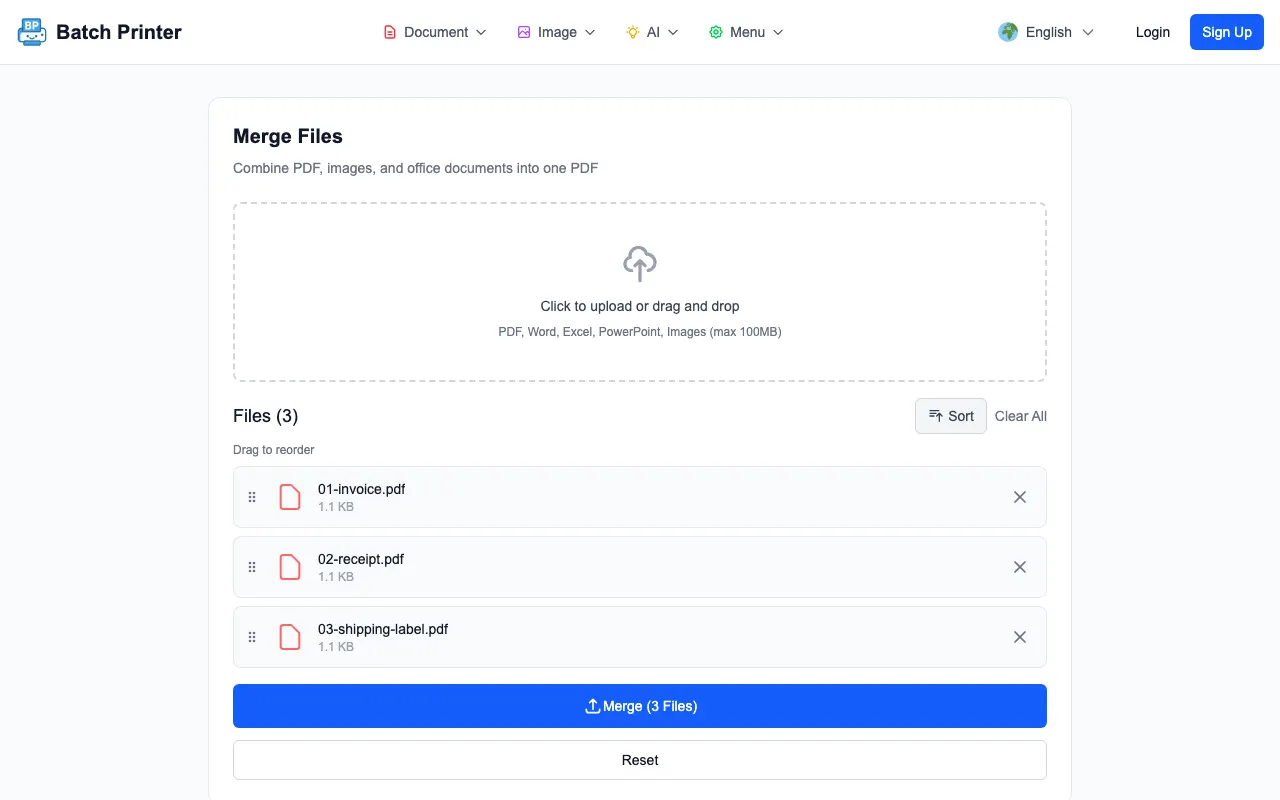
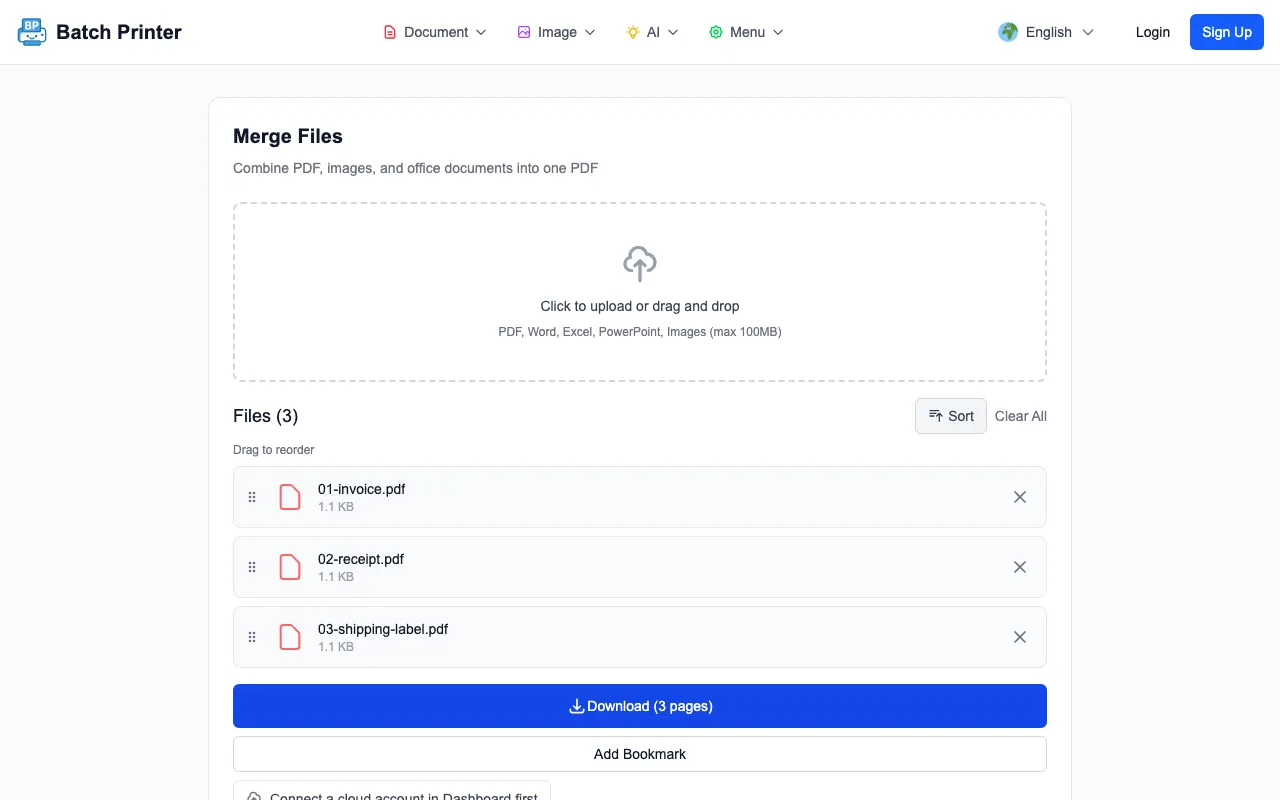
To capture the screens in this guide, I combined an invoice, a receipt, and a shipping label into one packet. The merge queue showed all three files in order, produced a three-page PDF, and finished at a Download button. The output weighed 2,139 bytes - deliberately tiny sample files - but the checkpoints are identical whether the packet is three pages or three hundred.
The Real Problem Is Print Order, Not the Print Button
When several files need to become paper, the risk is not only wasted clicks. The risk is printing the receipt before the invoice, missing the label, printing a draft twice, or sending a half-complete packet to someone else. The merge queue gives you one place to confirm the order before the printer is involved.
- Rename files with simple prefixes if order matters, such as 01, 02, and 03.
- Open any critical source PDF once to confirm it is not blank or password locked.
- Remove duplicate drafts before they enter the queue.
- Keep the original files until the printed packet is approved.
- Convert non-PDF files first when your print workflow depends on exact layout.
Test Run: Three PDFs in One Queue
The run used 01-invoice.pdf, 02-receipt.pdf, and 03-shipping-label.pdf - numbered on purpose. After upload, the page showed Files (3), a drag-to-reorder hint, Sort and Clear All controls, and a Merge (3 Files) button. That queue is the point where I would stop and check order before making the packet.
After I clicked Merge, the primary action changed to Download (3 pages), and the page showed Created PDF with 3 pages. That is the before-and-after that matters for batch printing: the queue turns into one packet that can be opened, checked, and printed once.
Build the Packet Before Opening the Print Dialog
- Step 1: Upload the files that belong in the same printed packet.
- Step 2: Read the queue from top to bottom and reorder before merging.
- Step 3: Merge only after the queue matches the physical packet you want.
- Step 4: Download the merged PDF and open it in your normal PDF viewer.
- Step 5: Check the first page, each transition between documents, and the last page before pressing Print.
Checks Before You Send It to Paper
A batch packet is only faster if it is correct. The final PDF should be checked the same way you would check a physical stack: first page, middle transitions, last page, orientation, and blank pages. If one source file is sideways, rotate it before merging so the printed set does not mix portrait and landscape unexpectedly.
If the packet includes scans, keep an eye on file size and browser memory. Browser-side merging is convenient, but an older laptop can still struggle with very large scanned PDFs. Compress oversized scans first if the page becomes slow or your PDF viewer takes too long to open the result.
When Separate Files Are Safer
Do not merge files just because you can. Keep documents separate when each file needs a different approval, when a portal asks for individual uploads, when one item may be replaced later, or when a recipient must sign only one document at a time. Batch printing is best for packets that are meant to travel together.
FAQ for Batch Printing Multiple Files
Does the merge tool print automatically? No. The tested workflow created a downloadable PDF packet. Open that PDF and print from your normal viewer after checking the pages.
Can I include Word or slide files? The merge page accepts multiple file types, but the safest print packet is a stable PDF. If formatting matters, convert or export office files to PDF before the final merge.
What if the order is wrong after upload? Reorder in the queue before merging. If you already downloaded the wrong packet, fix the queue and merge again rather than trying to print selected page ranges.