
How to Redact Sensitive Information in a PDF Without Leaving It Behind

Redact PDFs by Removing Data, Not Painting Over It
A PDF can look safe while still containing the text you meant to hide. The classic mistake is drawing a black rectangle over a name, salary, account number, or internal note. That may hide the words on screen, but it can leave selectable text, hidden objects, metadata, or copied content behind. Proper redaction is a workflow, not a decoration.
The walkthrough below uses a dummy salary memo - fake name, fake contact line, fake salary row - because a redaction demo should never gamble with real data. The workflow it demonstrates is the one that matters on real documents: upload, draw a redaction rectangle over each sensitive area, confirm the area count in the sidebar, apply, and download the result.
What Redaction Should Accomplish Before You Share
A useful redaction pass answers two questions. First, did you mark every area that should disappear? Second, does the exported PDF prevent a recipient from reading or selecting that content? The second question is why a screenshot tool or a black highlight is not enough. You need an output PDF that no longer exposes the selected information in normal viewing and copying workflows.
- Names, addresses, phone numbers, email addresses, and IDs that do not belong in the shared copy.
- Salary, pricing, bank, tax, or invoice details that are only for internal review.
- Signatures, barcodes, QR codes, and reference numbers that can identify a person or account.
- Internal comments, draft notes, and approval stamps that should not leave the team.
- Screenshots or scanned pages where sensitive text is part of an image rather than a text layer.
A Safe Redaction Workflow Tested in the Browser
After the memo uploaded, the tool rendered the page and showed a crosshair overlay. Dragging a rectangle over the fake salary and contact area made the sidebar immediately report one redaction area. That live count is the checkpoint to trust before applying changes on a real document: if you marked four regions and the sidebar says three, stop and find the missing one.
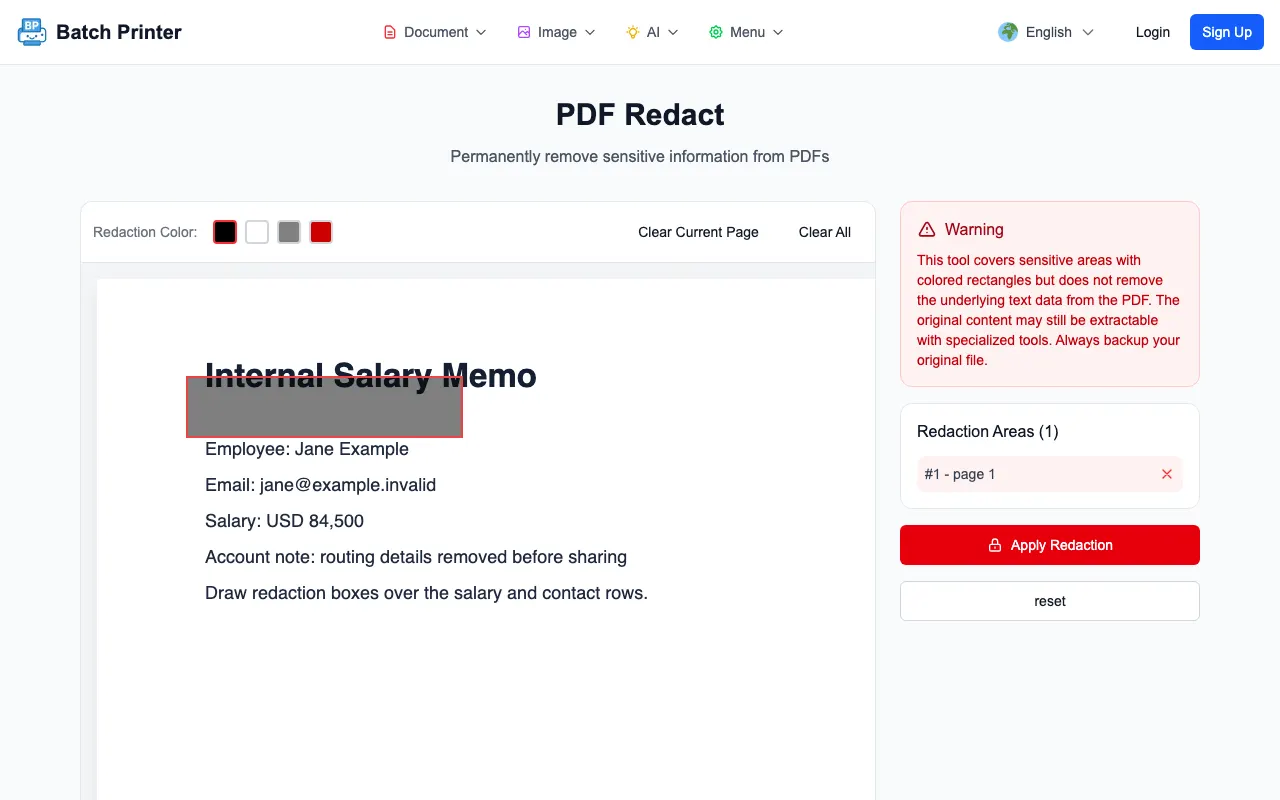
- Step 1: Work from a copy of the PDF, not the only original.
- Step 2: Upload the PDF to /en/tools/pdf/redact and wait for the page preview to render.
- Step 3: Draw boxes around every area that should be removed. Zoom in with your browser if the text is small.
- Step 4: Check the redaction area count in the sidebar before applying changes.
- Step 5: Apply redactions, download the result, and open the exported PDF for verification.
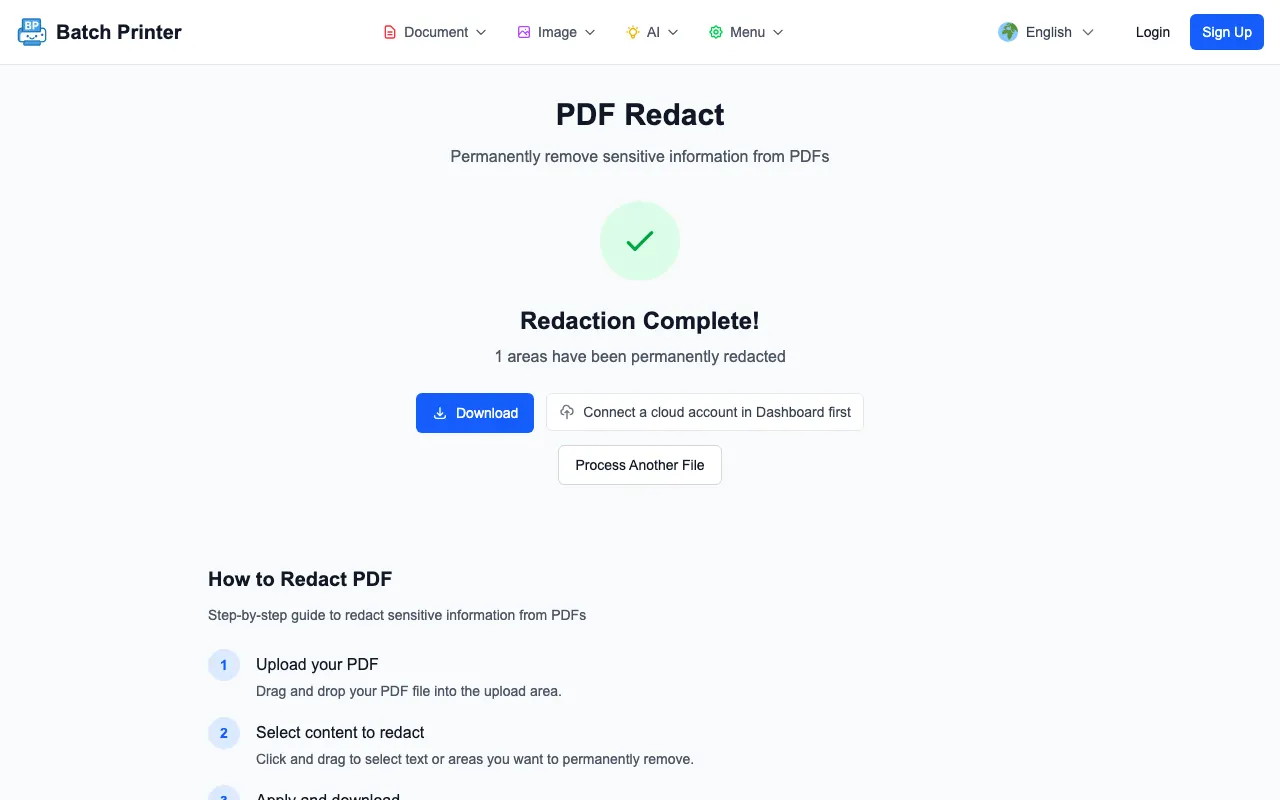
Proof Points to Check Before Downloading
The tool can only remove the areas you mark. That makes the review pass more important than the button click. After applying redaction, open the output PDF and search for a known hidden word. Try selecting text around the redacted area. If the sensitive phrase is still searchable or copyable, stop and revisit the source workflow before sending the file.
- Search the output for the exact name, amount, or ID you removed.
- Try selecting text around each redaction box and copying it into a plain text editor.
- Check every page, including attachments and scanned appendix pages.
- Review document properties if author names or software history could matter.
- Keep a private original in a secure location because redaction is not meant to be reversed.
Mistakes That Leave Sensitive Data Behind
The most common failure is visual concealment. A black shape, image sticker, highlight, or screenshot crop can make a page look clean while the original content remains in the file. Another failure is partial selection: covering the visible digits but leaving a label, barcode, metadata field, or second copy in a table. Redaction needs a document-level review, not a single drag gesture.
Mixed PDFs deserve extra care. A packet might include searchable text pages, scanned pages, rotated pages, and embedded images. Treat each page as its own review surface. If a page is rotated or too small to mark accurately, fix the orientation or zoom level before selecting the redaction area.
When Redaction Is the Wrong Tool
Redaction is for removing specific visible areas from a shared copy. It is not the right tool for changing contract language, hiding an entire document from unauthorized readers, or controlling who can open the file. If the full PDF should be restricted, use password protection after the content is final. If the wording itself is wrong, edit the source document and export a new PDF.
FAQ for PDF Redaction
Can redaction be undone? Treat the exported redacted PDF as permanent. Keep the original separately if your team may need the full record later.
Is password protection the same as redaction? No. A password controls access to the file. Redaction removes selected content from the shared copy. Use the tool that matches the problem.
Should I redact before or after merging PDFs? Redact before merging when different source documents have different sensitive fields. Merge after each source has been checked.